
 Home
Home


How to engage Class 1 students in digital learning?
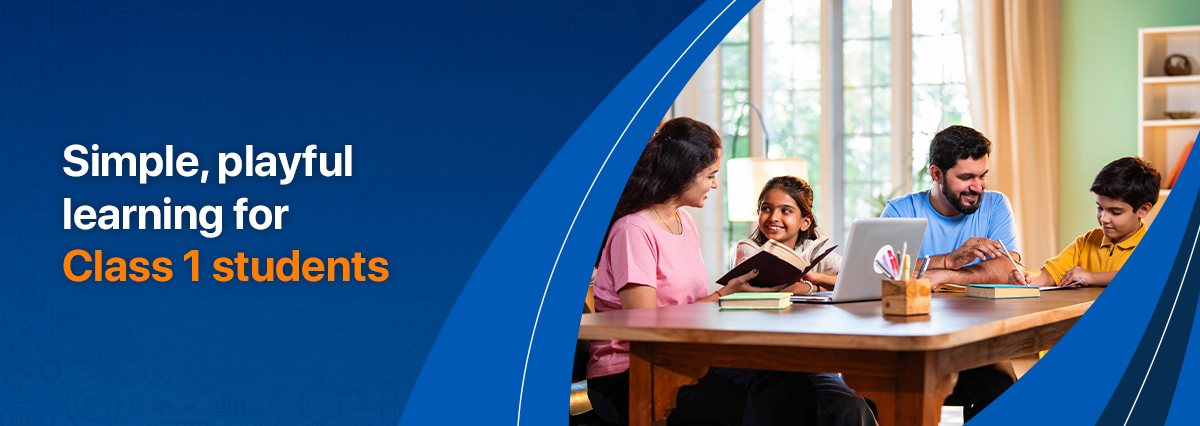
Class 1 children are curious, active, and full of questions. They want colour, sound, praise, stories, and a chance to respond. A digital lesson for this age group should not feel like “screen work”. It should feel like a guided activity with play, movement, and care.
For families and schools, this matters even more because children often use digital platforms at home after school, with parents or grandparents nearby. A child may love a lesson one day and lose interest the next. The difference often lies in structure, simplicity, safety, and emotional support.
Why Class 1 children lose interest fast
Children may switch off when lessons are too long, instructions are unclear, or the screen only shows a video with no response from the child. Too much repetition can also feel dull. A young learner needs small wins, clear visual cues, and regular praise.
Digital learning works best when the child can say, point, choose, draw, match, repeat, act, and explain.
Practical ways to improve engagement
1. Keep lessons short and predictable
A 15-minute session is often more useful than a 45-minute session. Divide one lesson into small parts: watch, answer, move, revise. Use a simple routine such as:
First: watch the lesson
Next: answer two questions
Then: draw or act
Last: tell one thing learnt
This helps the child feel secure because they know what comes next.
2. Use strong visual cuese
Class 1 students respond well to clear signs on screen. Try:
- A green tick for “correct”
- A yellow star for “try again”
- A red pause sign for “stop and listen”
- Big arrows for “click here”
- Smiley faces for effort
- Picture cards for EVS, English, Hindi and Maths
3. Make every lesson interactive
Do not let the child only watch. Ask simple questions such as:
“What colour is this?”
“Can you count these apples?”
“Can you show me something round in the room?”
“Can you tell mumma or papa what you saw?”
Digital platforms can support this through guided modules, quizzes, and child-friendly practice tasks.
4. Mix screen tasks with home activities
Young children learn better when digital content connects with real life.
| Digital task | Home activity |
|---|---|
| Watch a lesson on fruits | Name fruits in the kitchen |
| Learn shapes online | Find circles and squares at home |
| Watch an EVS video on plants | Draw a leaf |
| Count objects on screen | Count spoons, toys, or crayons |
This balance reduces screen fatigue and supports deeper understanding.
Do’s and don’ts for parents and teachers
Do’s
- Keep the device at eye level.
- Use headphones only at safe volume.
- Sit near the child during the lesson.
- Praise effort, not only correct answers.
- Use the child’s name often.
- Ask one question at a time.
- Allow short movement breaks.
- End with one easy recap question.
Don’ts
- Do not force long screen sessions.
- Do not scold the child for wrong answers.
- Do not open many apps at once.
- Do not expect silent focus for too long.
- Do not compare the child with classmates or siblings.
- Do not use digital learning as a babysitter.
- Do not skip offline play, drawing, reading, or outdoor time.
Common mistakes adults make
One common mistake is to think that a child is not interested because they are lazy. Often, the lesson is too long or too passive.
Another mistake is to give too many instructions at once. Instead of “Open the lesson, watch it, answer the quiz, and then write the answer”, say, “Tap the blue button.” After that, give the next step.
Parents may also focus too much on marks. For Class 1, confidence and routine matter as much as scores.
Encouragement prompts for young learners
Use warm, simple phrases:
- “Good try, let us do it once more.”
- “I like how carefully you looked.”
- “You found the answer with effort.”
- “That was a smart guess.”
- “Let us clap for your hard work.”
- “Mistakes help us learn.”
- “Can you teach me what you learnt?”
These prompts help children feel safe and motivated.
Safety tips for digital learning
Safety must be part of every digital routine. Use child-safe platforms. Keep autoplay off where possible. Avoid random video links. Set screen time limits. Check that ads, pop-ups, and chat features are not open to children.
Children should use devices in a shared family space, not alone behind a closed door. Teach them one simple rule: “Ask an adult before you click.”
At mSchool, we believe Class 1 digital learning should be joyful, safe, and simple. With the right mix of stories, visuals, movement, praise, and guidance, young learners can stay curious and confident.
Looking for more information about mSchool- a trusted digital learning platform?
With mSchool, we focus on making early learning simple, interactive, and enjoyable for young students. Our concept-based videos break down topics into easy-to-understand lessons, while chapter-wise assessments and worksheets help children practise and retain what they learn.
For foundational subjects, such as EVS, our structured approach ensures that each concept connects to real-life understanding. For parents exploring reliable digital learning platforms, our topic-wise content and question banks help children learn step by step without feeling overwhelmed.
We also offer an “Ask a Doubt” feature, so children can seek clarity whenever they need it, at their own pace. This helps build confidence and keeps learning consistent.
For more information, contact our team.


 Previous Post


Leave a Comment